OG Image Size: 1200 × 630 and What Each App Does With It
 By Prabhav Lamichhane8 min readPublished · Last checked
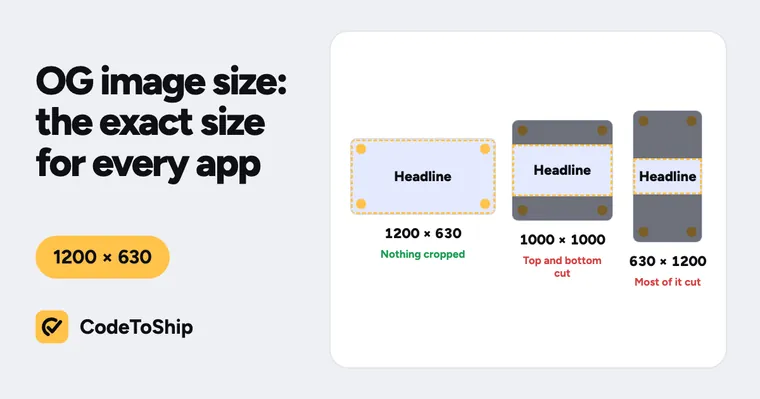
Use a picture 1200 pixels wide and 630 tall, saved as a JPG or PNG under 5 MB.
- Works on Facebook, LinkedIn and X
- Each app crops it to a wide card
- Keep words and faces near the middle
To see how your own picture measures up and how it looks on all three, you can run the free Open Graph checker on any page.
The size each app wants
Facebook and LinkedIn publish their numbers, and the cards below say so. X's own page could not be opened when we checked, so its card is marked as coming from summaries of it.
Facebook
- Smallest it accepts
- 200 × 200
- Large link card from
- 600 × 315
- Recommended
- 1200 × 630 or more
- Shape
- About 1.91 : 1
- Largest file
- 8 MB
From the app: Facebook's sharing guide for developers
LinkedIn
- Asks for
- 1200 × 627
- Under 401 pixels wide
- Small thumbnail
- Shape
- 1.91 : 1
- Largest file
- 5 MB
From the app: LinkedIn's help page on sharing
X
- Large card shape
- 2 : 1
- Good size
- 1200 × 600
- File types
- JPG, PNG, WebP, GIF
- Largest file
- 5 MB
Not from the app: Summaries of X's documentation: we could not open X's own page
What gets cropped
The link card is a wide rectangle, so a picture of another shape is cut to fit it. Facebook says a picture near 1.91 to 1 shows in full. Made up The same picture in three shapes:
1200 × 630
Nothing cropped
1000 × 1000
Top and bottom cut
630 × 1200
Most of it cut
The dashed frame is the wide link card. The dark part is cropped away, so the corner marks and any words near the top or bottom go with it.
X draws a card that is 2 to 1, a little wider than Facebook's, so it takes a sliver more from the top and bottom. Keep the headline and anything you cannot lose well inside the middle.
Check your own picture
Is your picture at least 1200 by 630 pixels, and a JPG or PNG under 5 MB?
Make a new one at that size. Under 600 by 315, Facebook shows a small thumbnail instead of the large card.
Does the page say the same size in og:image:width and og:image:height?
Do og:image:width and og:image:height match the file?
Fix the two tags, or upload the picture you meant. A wrong size can make the card wrong.
You are set. Clear each app's saved copy if you changed the picture.
Find the address. Open the page, choose View page source and search for og:image. The address in content is the picture the apps will fetch.
Open it and read its size. Open that address in a browser tab. The pixel size and the file size are in the tab's title or the image's properties. Compare them with the table above.
Check what the page says about it. Look for og:image:width and og:image:height. They should match the file. Facebook uses them to lay out the card before it has downloaded the picture.
Test the whole preview. Run the page through the checker. It measures the picture and draws the Facebook, LinkedIn and X cards. Then clear each app's saved copy in its own tool.
The tags, copied into the head of the page:
<meta property="og:image" content="https://example.com/share.jpg">
<meta property="og:image:width" content="1200">
<meta property="og:image:height" content="630">
<meta property="og:image:alt" content="What the picture shows">
<meta name="twitter:card" content="summary_large_image">
Two real sites: ours
We ran the checker on our own site and on Kickoff Clock, a site we built as our own example. These are the results as the tool printed them on November 8, 2026.
- Real site
codetoship.com
Checked November 8, 2026
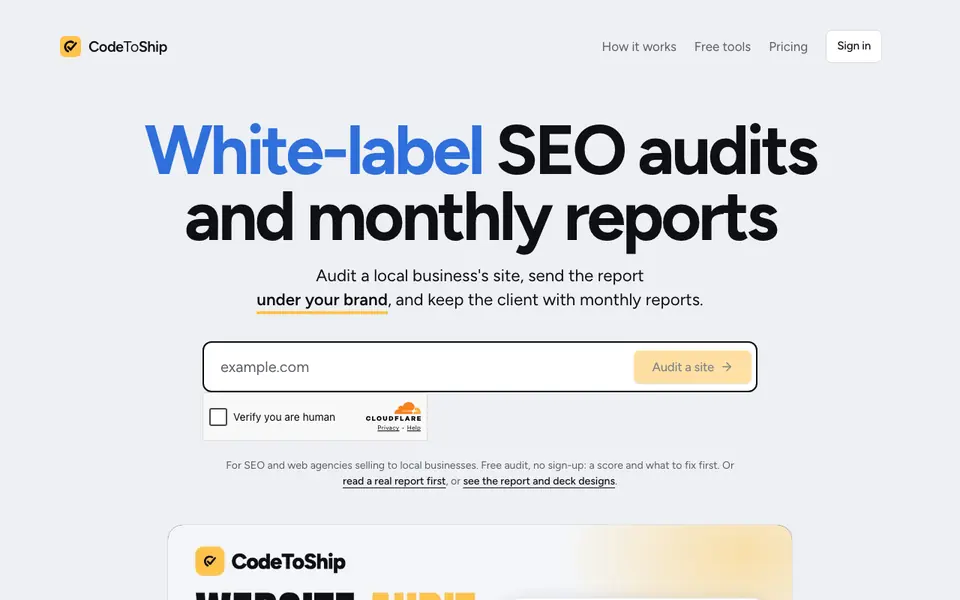
The page we tested, as a first-time visitor saw it. - PassedThe share picture is 1200 × 630, and the page says the same size.
- PassedThe file is 12 KB, under the 5 MB limit.
- PassedAlt text, og:url and the Open Graph tags are all there, and the Facebook, X and LinkedIn crawlers may read the page and the picture.
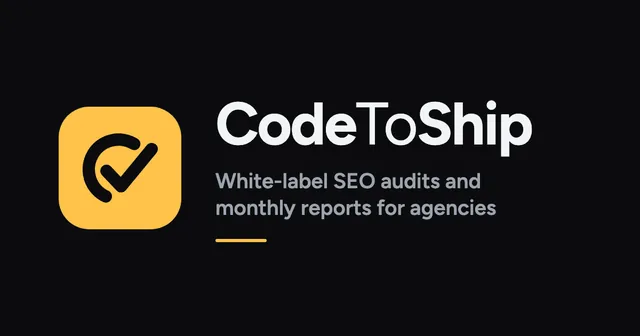
codetoship.com
White-label SEO audits and monthly reports for agencies
The picture as the checker read it today. File size of the share picture72% smaller
Before44 KBAfter12 KBkilobytesNothing to fix. We replaced this picture the same day, because it still showed our old logo, and shrank the file from 44 KB to 12 KB. Facebook, LinkedIn and X keep the preview they saved, so the old one shows until we clear it in their tools.
- Real site
kickoffclock.com
Checked November 8, 2026
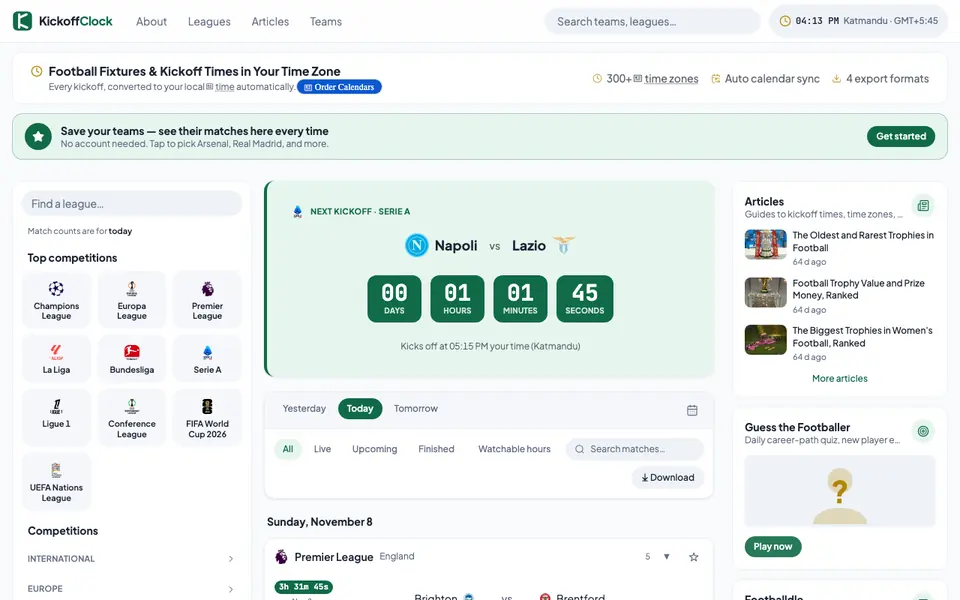
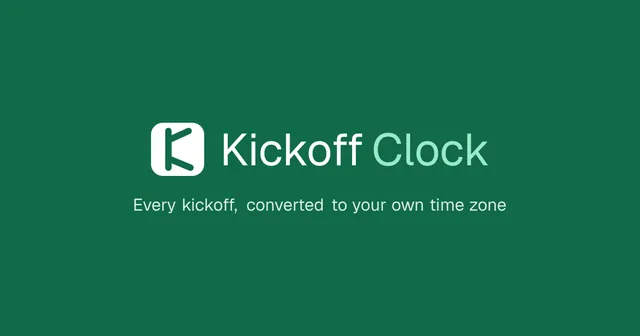
The page we tested, as a first-time visitor saw it. - PassedThe share picture is a 1200 × 630 PNG of 37 KB, and the page says the same size.
- PassedIt has alt text and a Twitter card, and the crawlers may read it.
- To fixNo og:url, so the Open Graph tags are incomplete.
- NoteNo og:type, so apps treat the page as a plain website.
kickoffclock.com
Today's Football Fixtures & Kickoff Times | KickoffClock
A good picture on a page whose tags are not complete. The picture is right, and a tool that only looked at the picture would have passed this page. The tags around it were not complete.
| Tag | codetoship.com | kickoffclock.com |
|---|---|---|
og:title | Present | Present |
og:description | Present | Present |
og:image | Present | Present |
og:image:width and height | Present | Present |
og:image:alt | Present | Present |
og:url | Present | Missing |
og:type | Present | Missing |
twitter:card | Present | Present |
When the tags and the file disagree
This is the one the other size guides leave out. On a site we tested in November 2026, the tags said the share picture was 1200 by 630. The file at that address was 112 by 112 and 3 KB. The page looked fine in a browser, and a validator that only asks whether a picture exists would have passed it. Facebook uses those tags to lay out the card before it has the picture, so it could expect a large card and then receive a tiny square.
What the page said
1200 × 630
What the file was
112 × 112, 3 KB
It usually means the tags were written for one picture and another was uploaded, or a build replaced the file with a placeholder. The Open Graph checker compares the two and says when they differ.
File type and weight
- Use a JPG or PNG. X lists JPG, PNG, WebP and GIF, and SVG is not one of them.
- Keep it under 5 MB. LinkedIn reads up to 5 MB, X about the same, and Facebook up to 8 MB.
- Use a full web address that starts with https://. A path such as /share.jpg may not be found by the app.
- Add og:image:alt so people who use a screen reader hear what the picture shows.
Questions about OG image size
What is the best OG image size?
1200 by 630 pixels, saved as a JPG or PNG under 5 MB. It is the size Facebook recommends, it is near LinkedIn's 1200 by 627, and X crops it only a little to its 2 to 1 card.
Is og:image the same as twitter:image?
No. og:image is the Open Graph tag that Facebook and LinkedIn read. twitter:image is X's own tag. X falls back to og:image when twitter:image is missing, so one picture is enough unless you want X to show a different one.
Why is my picture cropped?
Each app draws a wide card, near 1.91 to 1. A square or tall picture is cut to fit, so the top and bottom go. Make the picture 1200 by 630 and keep words and faces near the middle.
Why is the old picture still showing after I changed it?
Each app keeps the preview it saved the first time a link was shared. Clear it in Facebook's Sharing Debugger or LinkedIn's Post Inspector, then share the link again.
Does the OG image size affect my Google ranking?
No. It is not a Google ranking signal. It decides how your link looks when it is shared, which can change how many people click it.
Do I need og:image:width and og:image:height?
Facebook says they let it show the picture straight away instead of downloading and measuring it first. They are not required, but when you add them they must match the file, or the card can come out wrong.
How the check works, and what it cannot see
- The checker reads one page: its Open Graph and X card tags, then fetches the share picture and measures its pixel size, shape and weight, and redraws it small for the preview.
- It draws close copies of the Facebook, LinkedIn and X cards. Each app changes its card now and then, and keeps the preview it saved the first time a link was shared.
- It does not know what an app shows today. Only the app's own tool can clear its saved copy.
- It cannot judge whether the words on the picture are easy to read.
- The site in the example is left unnamed, and its numbers are what our tool read.
Measure your own picture in a few seconds
Paste a page address into the free Open Graph checker to see the size, the shape and the three cards. For the title and description Google shows, use the meta tag checker. If your logo does not show in search, see why a website logo does not show in Google.
Sources and when they were read
- Facebook for Developers, Sharing best practices: images (read November 8, 2026): the 200 by 200 minimum, the 600 by 315 large card, the 1200 by 630 recommendation, the 1.91 to 1 shape, 8 MB and the width and height tags.
- LinkedIn Help, Making your website shareable on LinkedIn (read November 8, 2026): the Open Graph tags it needs, 1200 by 627, 1.91 to 1, 5 MB, and a thumbnail under 401 pixels wide.
- X: X's own documentation could not be opened on November 8, 2026. The 2 to 1 shape, the 5 MB limit and the file types come from third-party summaries that agree with each other. Check X's documentation before relying on them.
- The 112 by 112 example is a real finding from our own checker on a site we tested in November 2026, left unnamed.
- The two real sites are our own checker on codetoship.com and kickoffclock.com, run on November 8, 2026. The picture in the made-up shapes is not from either.