Is your title and description working?
Enter a page address to see its title and meta description the way Google may show them, and what to fix.
- Free
- The answer in seconds
- No signup, no email
What we check in the page head
- The page has a title, of a length that fits, and one that says what the page is
- The title is not cut off: we measure its width, as Google does
- The description is there, a fitting length, and does not just repeat the title
- The description matches what the page says, so Google keeps it
- The page has one main heading (H1), and the tags that let it be indexed
- A preview of the result on a computer and a phone
Meta tags are lines in the head of a page that describe it to search engines and browsers. This meta tag checker reads the two that matter most in search, the title and the meta description, shows how Google may display them, and checks the tags that say whether the page may be indexed.
What this tool does not check
- Whether Google shows your title and description. Google may write its own, and only a search shows what it chose.
- Open Graph and Twitter tags, which control how a link looks when it is shared. Those have their own checker.
- Keywords. We do not check for them, and Google does not use the meta keywords tag.
- Pages other than the one you enter. Run the checker on each page you care about.
What each check means
- Title
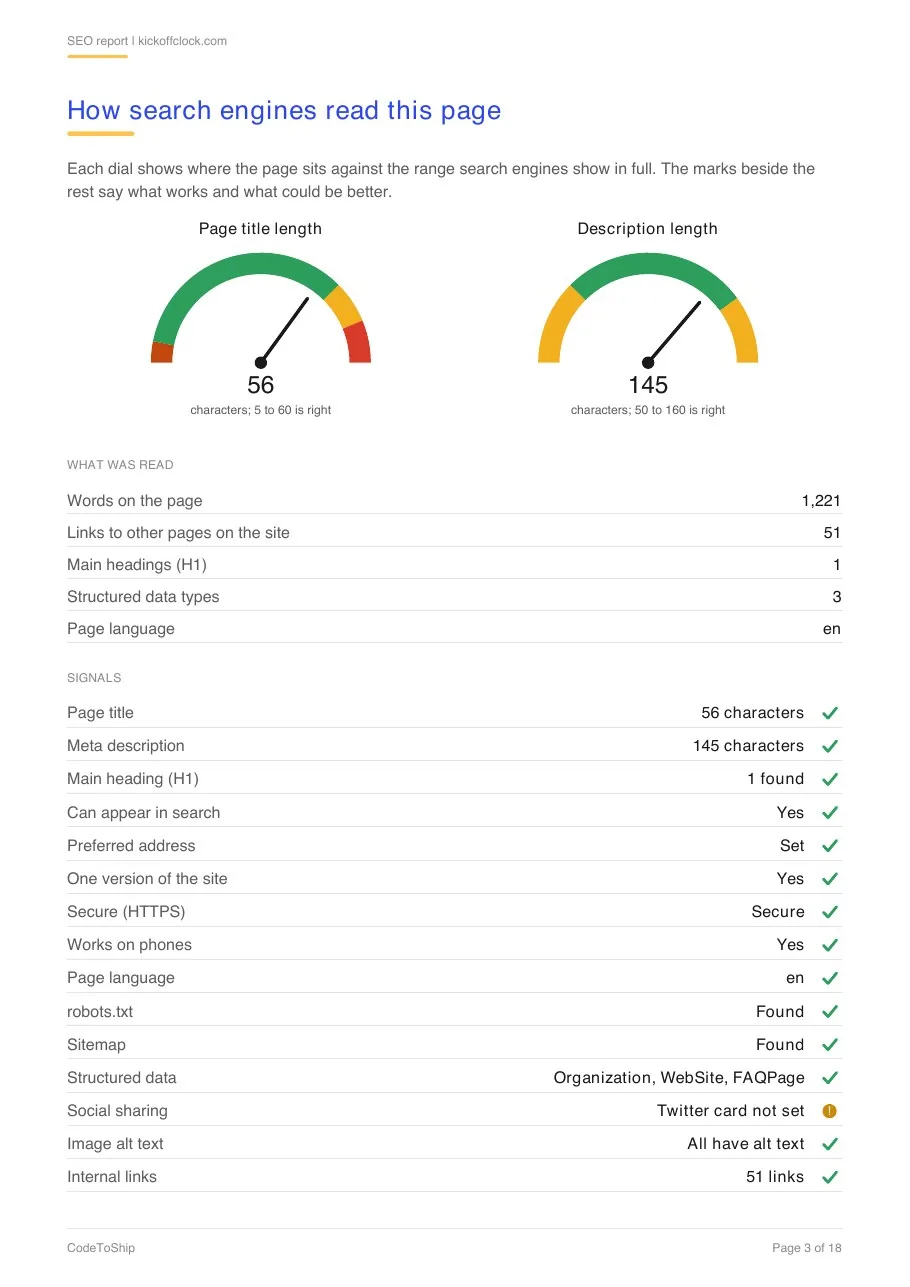
- The title tag is the blue line in a search result and the name in a browser tab. We check it is there, is not a placeholder such as Home or Untitled, and is 5 to 60 characters. Google publishes no fixed limit: it cuts a title by width.
- Title width
- Wide letters such as W and M take more room than i and l, so we also measure the title's width from Arial's letter widths and compare it with about 600 pixels. It is an estimate, because Google changes its font and its limit.
- Repeated words
- A title that says one word three times, or has many parts split by separators, reads as stuffing. Google may write its own title instead, and searchers skip it.
- Meta description
- The summary under the title. It is not a ranking factor, but it is often the reason someone clicks. We check it is there and 50 to 160 characters, and that the first 120 characters carry the point because phones cut earlier.
- Adds to the title
- A description that starts with the title, ends on a stock phrase such as Try it free now, or has the brand stuck on its end, wastes the space. We compare the two as plain text.
- Matches the page
- Google may replace a description with a piece of the page when the page answers a search better. We count how many of the description's meaningful words appear in the title, headings and opening text. Few shared words is a sign Google may swap it.
- Invites a click
- A note, not a fault: whether the description has a word such as learn, get, find, book or compare, which gives the searcher something to do.
- Title and main heading
- A note: whether the title and the H1 share words. They do not have to match, but a searcher who clicks expects the page to say what the result said.
- One main heading
- A page should have one H1, the line that says what the page is about.
- Can be indexed
- We check the page has no noindex in a robots meta tag, which tells search engines to leave it out, and no nofollow, which tells them not to follow its links.
- Preferred address
- The canonical tag names the address you want shown in search. We check it is present, a full address, on the same site, and answers 200.
- Viewport and character set
- The viewport tag lets the page fit a phone screen, and the character set tells the browser how to read accented letters and symbols.
How to fix it
Pick what your site is built on. Have a developer? Send them our message in the guide.
Use an SEO plugin. In Yoast SEO or Rank Math, open the page or post, scroll to the SEO box under the editor, and fill in the SEO title and the Meta description fields. The preview in the box shows the result.
Check it by hand
Open the page, right-click and choose View page source, then search for title and description. Or print them from a terminal:
curl -s https://example.com/ | grep -i -E "<title|name=.description"
Questions
What is a meta description?
A short summary of a page in its head, written for search results. Google may show it under the title.
How long should a title be?
Google gives no fixed length. It cuts a title by its width, so about 60 characters is a safe guide, a little less if it has wide letters. Put the words that matter first.
How long should a meta description be?
Google gives no fixed length. About 150 to 160 characters fits on a computer, and phones cut earlier, so put the point in the first 120.
Does the meta description help me rank?
No. Google says it does not use the description to rank pages. It can still help people choose your result.
Why does Google show a different title or description from mine?
Google may rewrite either when it thinks something else describes the page better for that search: a description that is missing, too short, or about something else, or a title that is too long or stuffed. Check what you wrote against the page, then search for the page again after a few days.
Does Google use the meta keywords tag?
No. Google has said it does not use it, so leave it out.
Why do I see the title cut off with dots?
It is wider than the space Google gives a title, near 600 pixels. Move the main words to the start and shorten the end, or drop the brand name.
Do I need a different title and description on every page?
Yes. Pages that share one tell searchers and search engines nothing about how they differ. Write each from what that page offers.
Does a pass mean my page will rank or be shown as written?
No. This tool checks the tags and shows an estimate. Google decides what to show.
Send audits under your own brand
Audit a client's site, then send a report and a pitch deck with your logo and colors. It works today.
More free checks
- Favicon checkerSee how your website logo (favicon) shows in Google, browser tabs and phones, and what to fix.
- Security headers checkerEnter an address to see if your site uses HTTPS and sets the main security headers.
- Sitemap checkerEnter an address to find your sitemap and check that search engines can read it.
- Open Graph checkerEnter a page address to run this free Open Graph checker. See the link preview on Facebook, LinkedIn and X, and what to fix.
- The whole page: free SEO audit199 checks in nine areas, with a score and a list of what to fix first.