Audit report and pitch deck templates, made from any website address
Paste a client's website. CodeToShip audits it in about a minute and builds the report and the pitch deck for you. Pick a design, add your logo and colors, and send it as your own.
Sign in with Google. The audit stays free.
From a web address to a client-ready report
Paste an address
The free audit checks the page in about a minute: speed, search basics, images, structured data and how AI tools can read it.
Pick a design
Three reports and four pitch decks. Every design says the same thing, in the style that suits the client.
Send it as yours
Add your logo, colors and contact details. Download the report as a PDF or Word file, and the deck as a PDF or PowerPoint file.
Reports: what you send
The report is the whole audit, written so the owner can read it and the developer can act on it. All three designs say the same words.
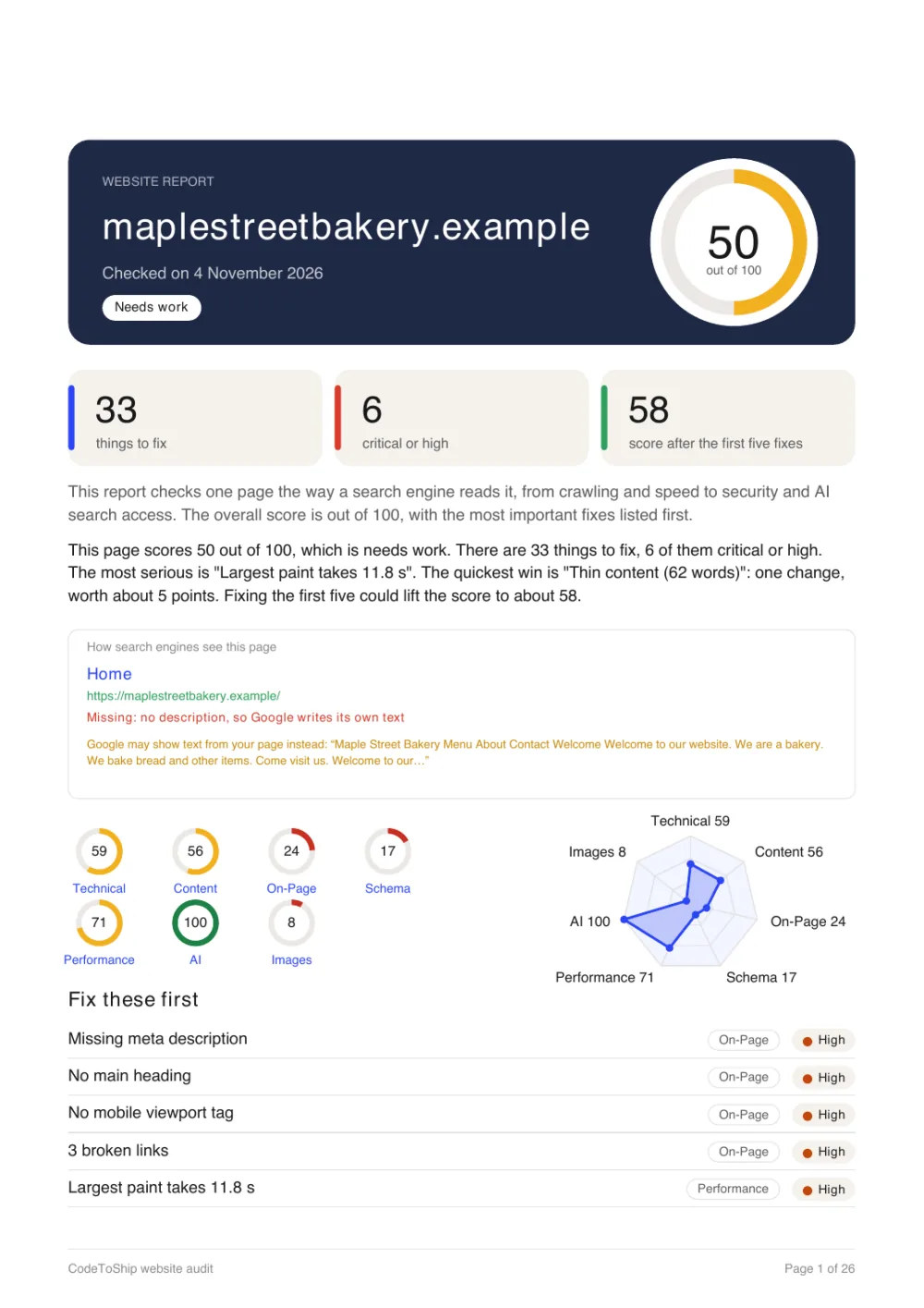
Classic report
26 pages, PDF. A cover band in your color, soft cards and a clear order. Familiar and safe.
Best for: A report to hand to any client.
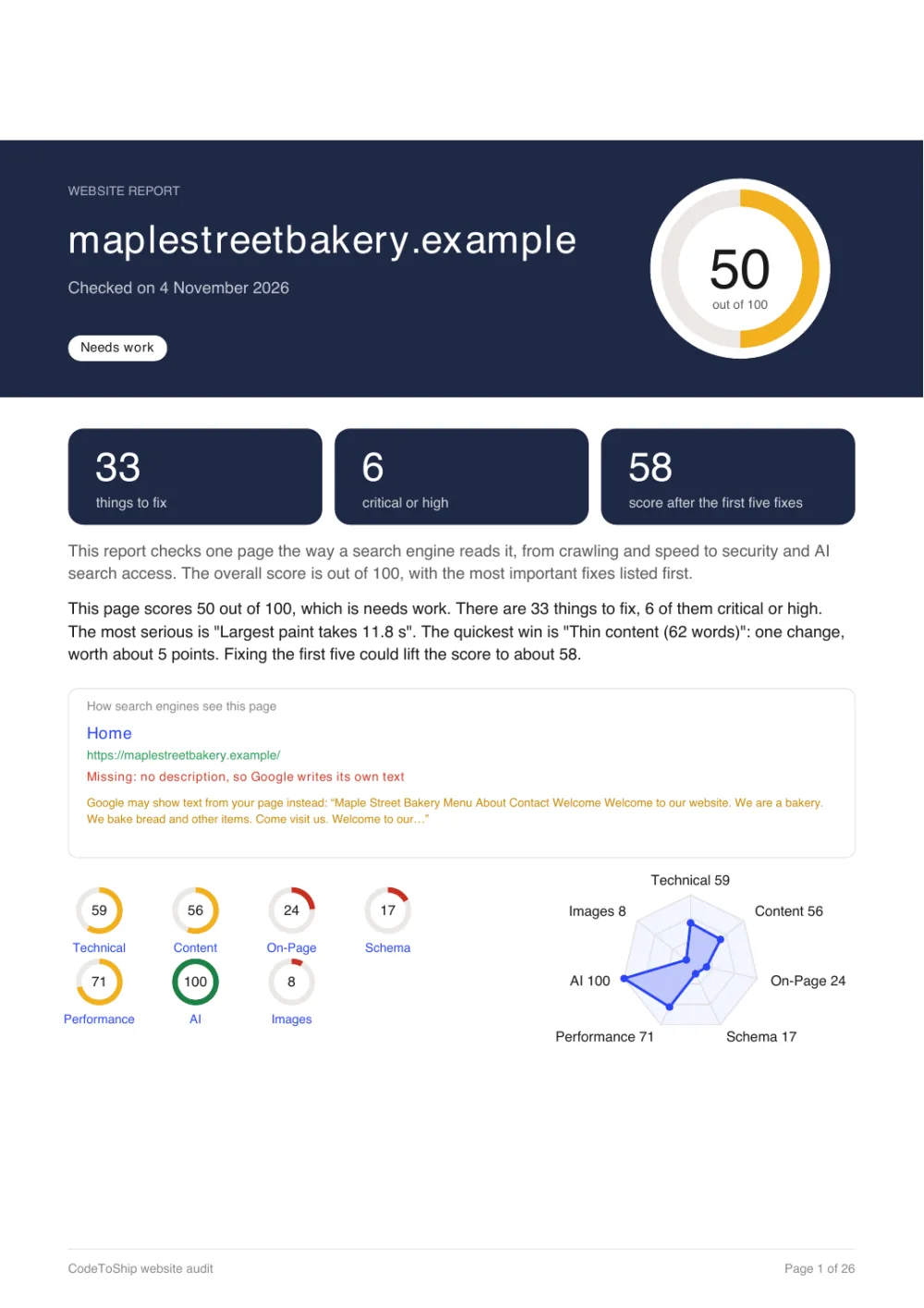
Bold report
26 pages, PDF. A full-width color cover, big numbers and heading bars. Makes a strong first impression.
Best for: A first report that has to stand out.
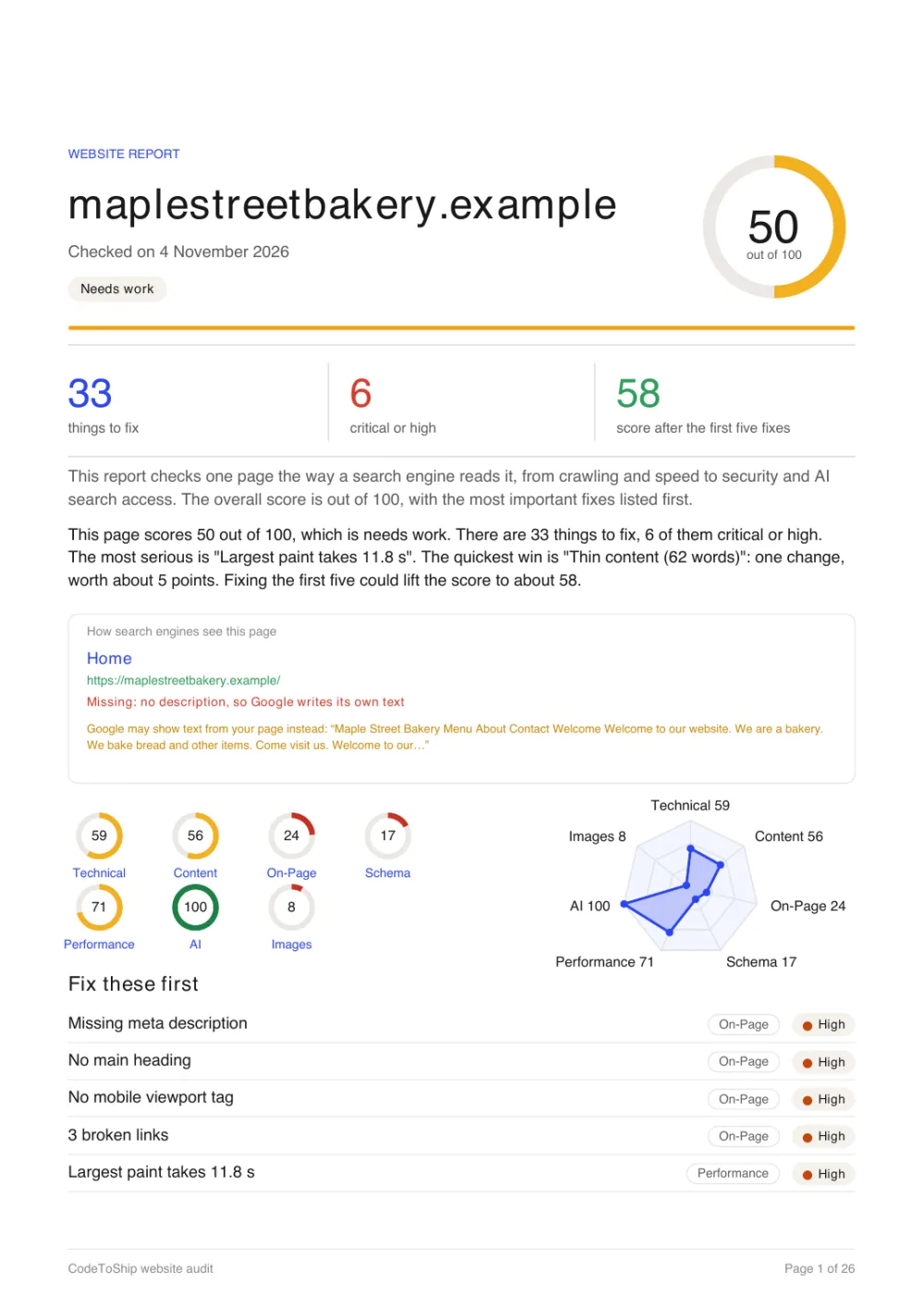
Minimal report
26 pages, PDF. Plenty of white, thin lines and quiet type.
Best for: Clients who like it plain.
Pitch decks: what you show
The deck is the short version, for a call or a meeting: where the site stands, what to fix first and what changes if you fix it.
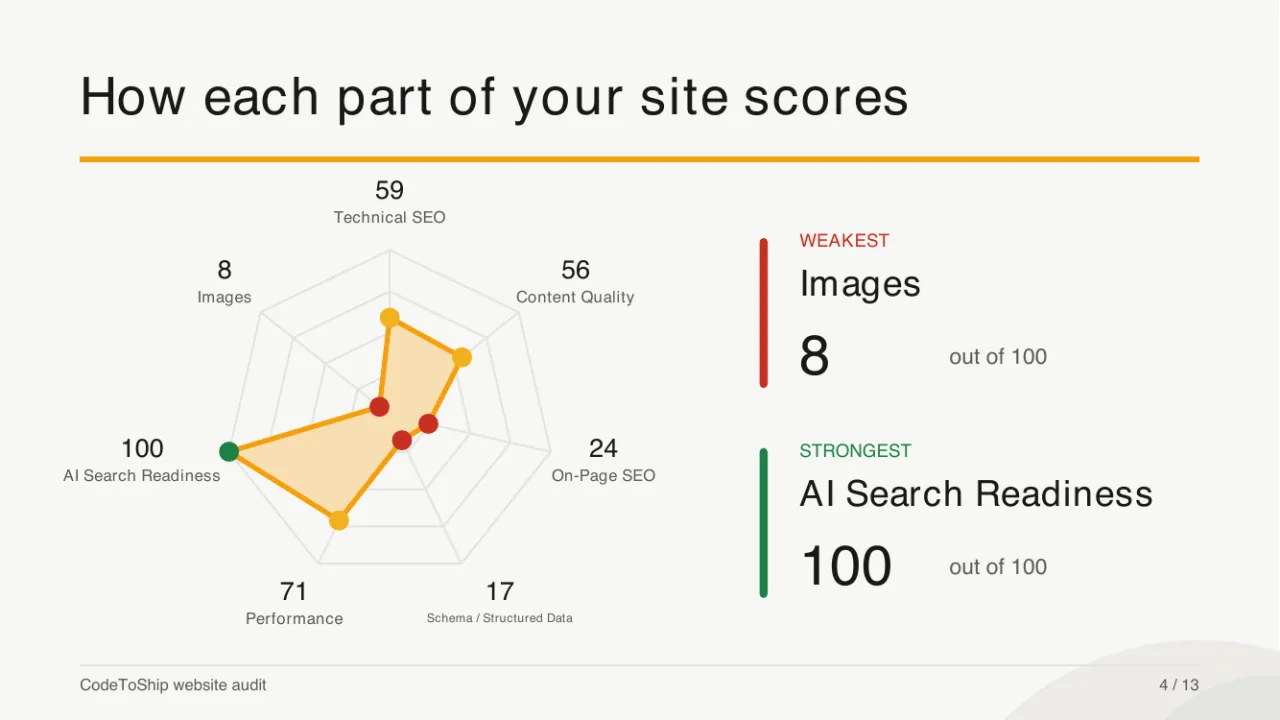
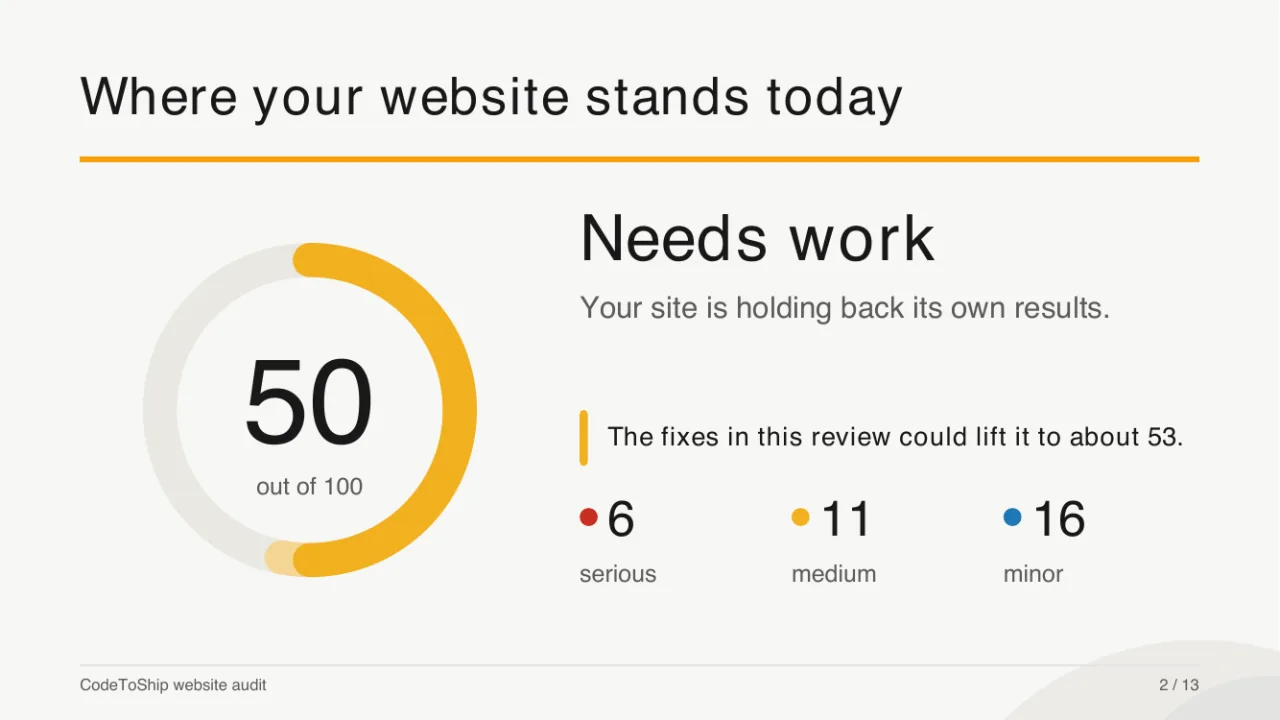
Classic deck
13 slides, PDF. Every finding in its own card on a clean page. Familiar and safe.
Best for: A first call with any owner.
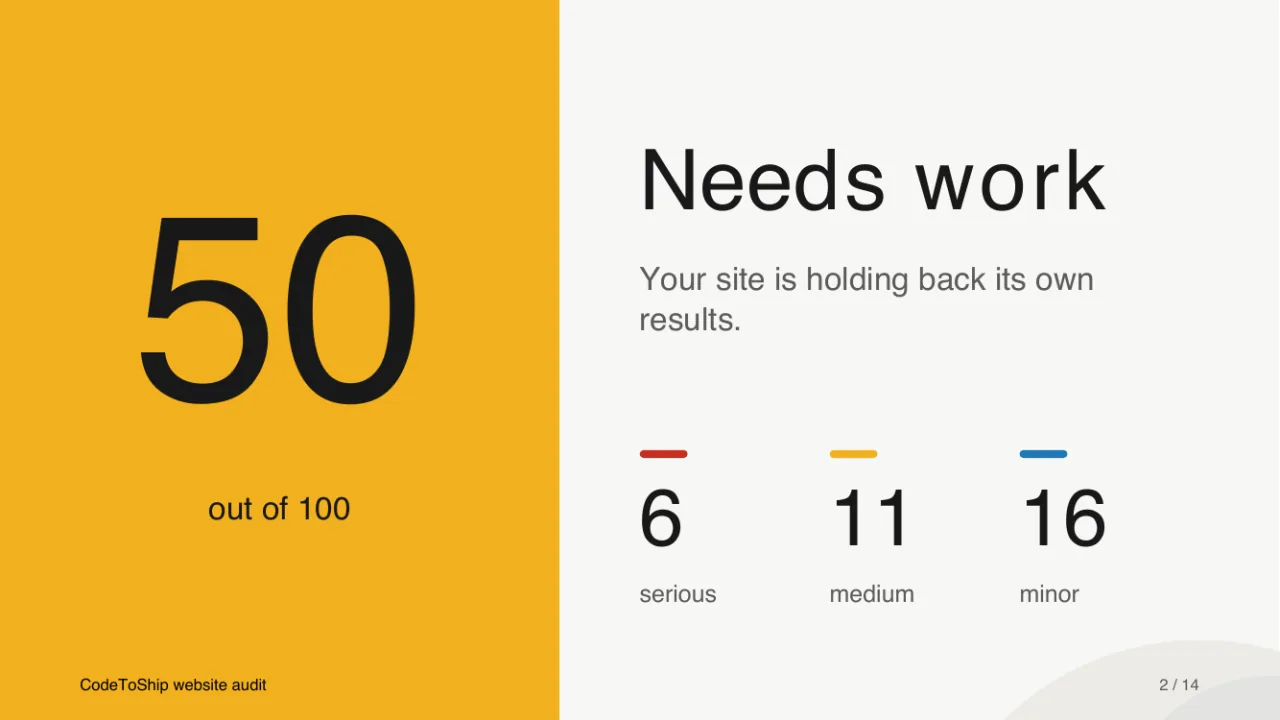
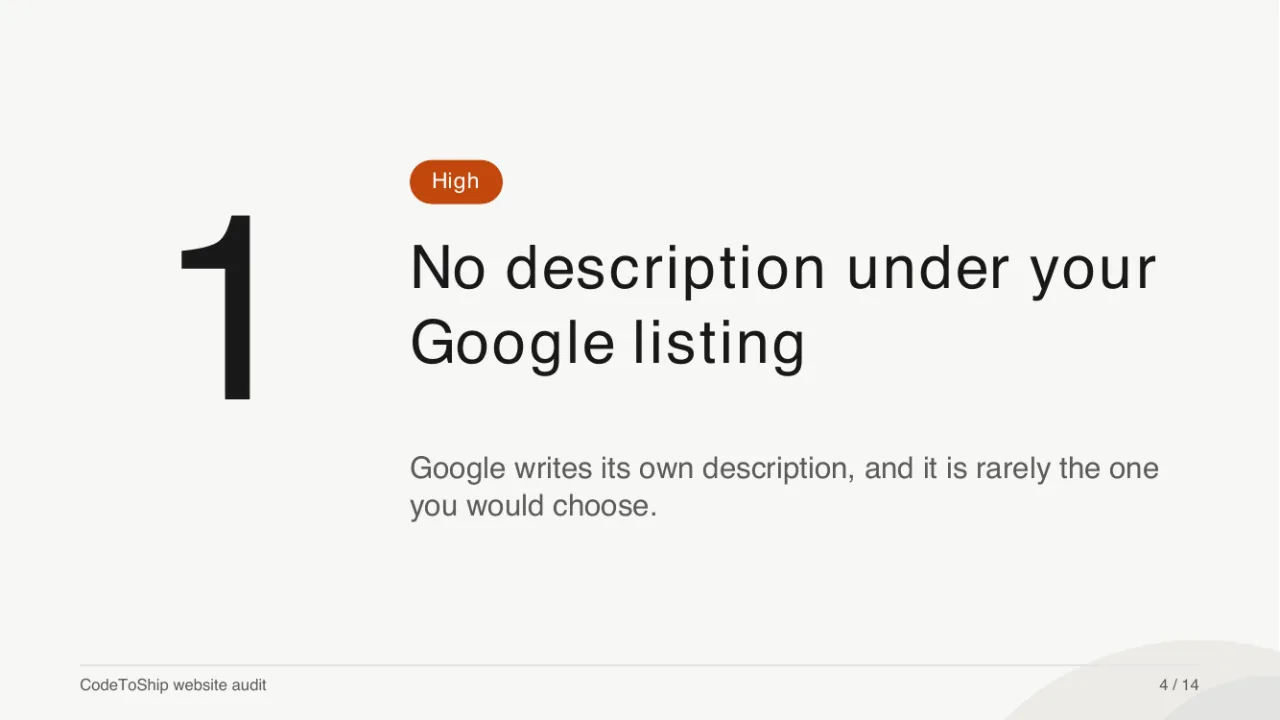
Bold deck
14 slides, PDF. One big idea on each slide, in large type. Fewer words, more punch.
Best for: Showing it on a screen in a meeting.
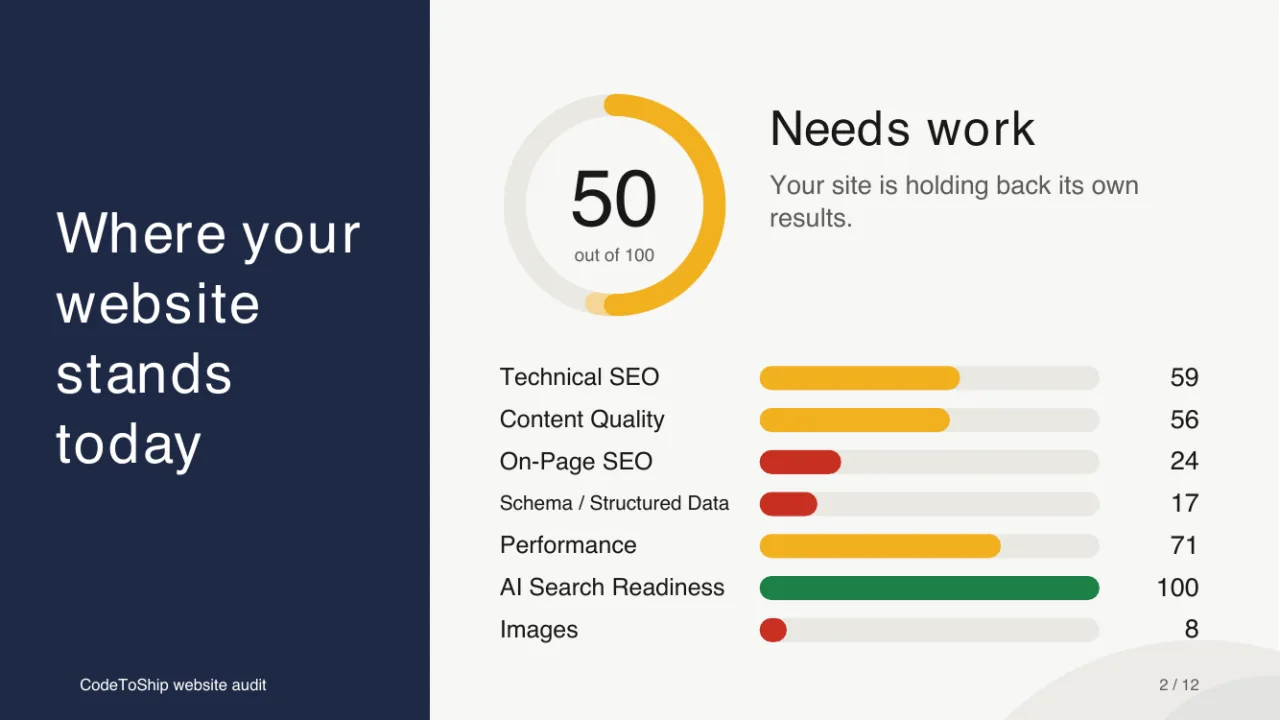
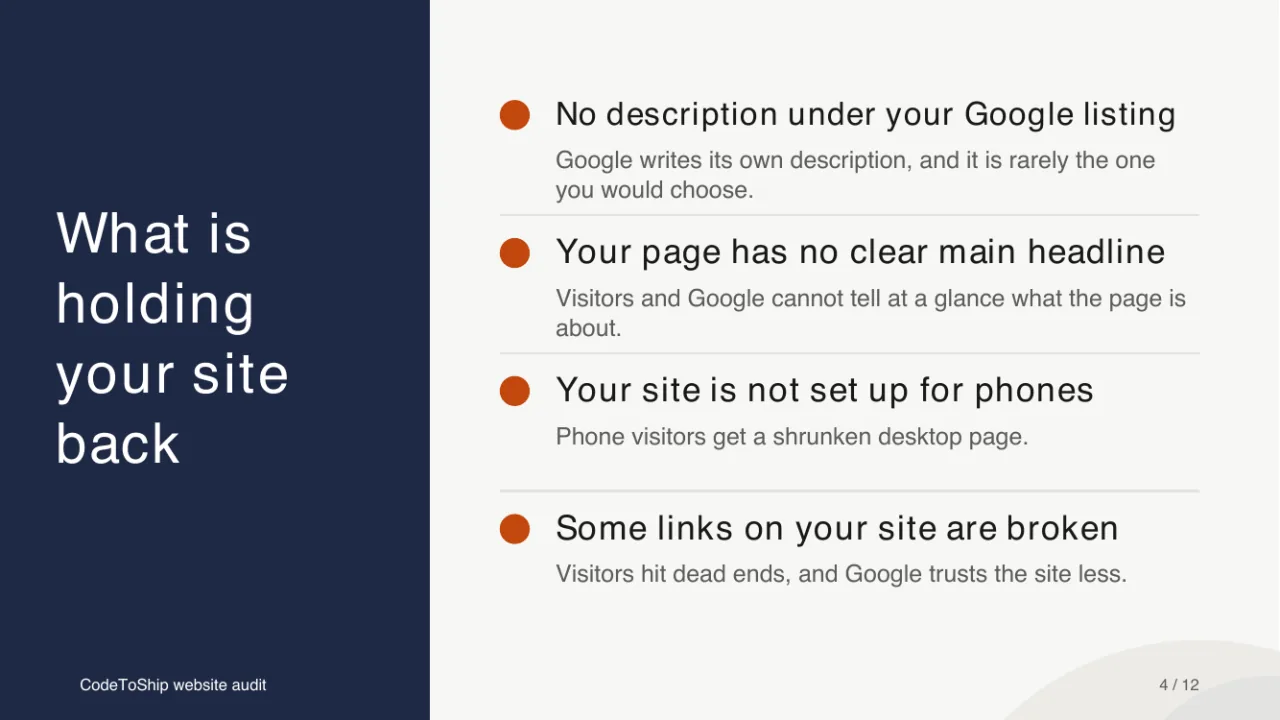
Story deck
12 slides, PDF. A colored panel beside the content, and the plan as a timeline.
Best for: Walking an owner through a plan.
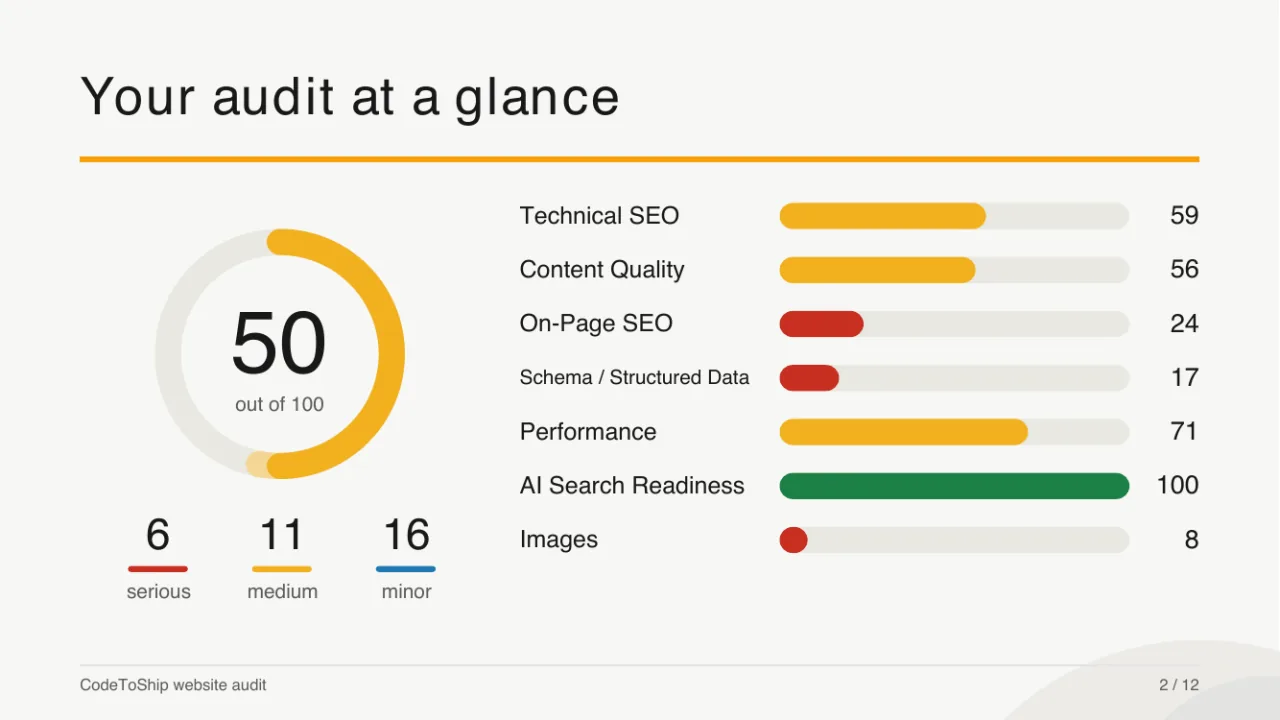
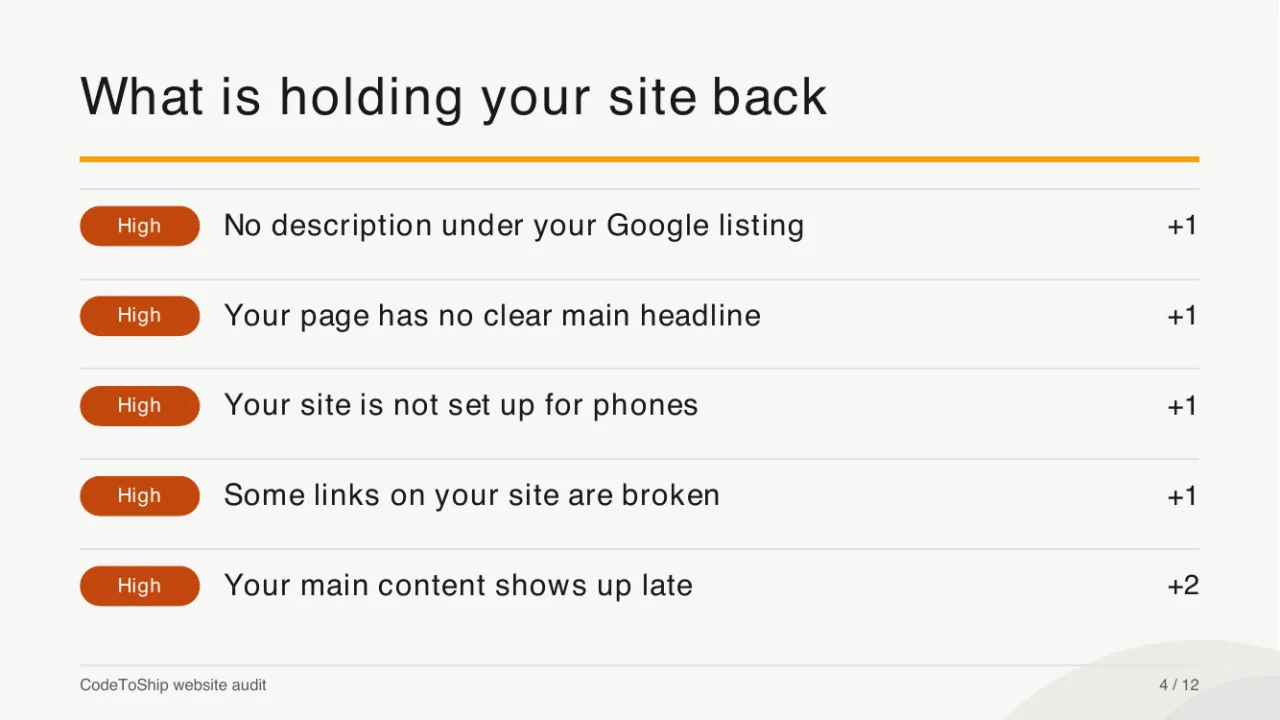
Dashboard deck
12 slides, PDF. Rings, bars and a table of findings.
Best for: Clients who like numbers.
Why agencies send an audit first
Start with a finding, not a pitch
An owner who reads one real problem on their own site has something concrete to answer. You are not asking for their time first.
Skip the hour of building
No screenshots to paste together and no slides to design. The report and the deck come out of the audit.
Look like your own tool
Your name, logo and colors are on every page. The files carry no CodeToShip branding.
We cannot promise a reply, a rank or a sale. A score is an estimate of how many checks pass.
What you get with the plan
The audit is free. The plan adds the files you send to a client as your own.
- Every finding, how search engines see it and what to fix
- Your branded report as a PDF and a Word file
- A branded pitch deck as a PDF and a PowerPoint
- A free audit tool on your own website, with every lead in your inbox
- Your logo, colors and contact details on all of it
About these examples
- The business, Maple Street Bakery, is made up. We ran our own audit on a careless copy of its site, so the score and the findings are real output, not drawn by hand.
- These samples are PDFs for looking at, not for editing. They use our default colors with no logo.
- A score is an estimate of how many checks pass. It is not a promise of more visitors or more sales.
To see what goes in a report and why, read the SEO audit report template guide. To see how a report and a deck win a client, read how to get web design clients. To put your own name and logo on a report, read the white label SEO report guide.
Questions about the templates
Do I need an account to run the audit?
No. The audit is free and has no sign-up. To download the branded report and deck, you sign in with Google and choose the plan.
Can I edit the files?
Yes. The report comes as a PDF and a Word file, and the deck as a PDF and a PowerPoint file. Send the PDF as it is, or change the words in Word or PowerPoint first.
Does it send my clients a report every month by itself?
Not yet. You can run a new audit whenever you like and download a fresh report to send.
Will my logo and colors show on the files?
Yes. The samples on this page use our default colors and no logo. A file made in the product carries your logo, your colors and your contact details.
Make your first client report today
Paste a client's address, read the audit, and send the report and the deck as your own.