Are your security headers set?
Enter an address to see if your site uses HTTPS and sets the main security headers.
- Free
- The answer in seconds
- No signup, no email
What we check
- The site uses HTTPS, and its certificate is not close to expiring
- http:// leads to https://, and the page loads nothing over http://
- Strict-Transport-Security (HSTS), and whether it is long enough
- Content-Security-Policy, X-Content-Type-Options, Referrer-Policy and Permissions-Policy
- Framing is controlled, and the server does not give away its version
Security headers are instructions a website's server sends with each page. They tell the visitor's browser which scripts to trust, whether the page may be shown in a frame, and to always use HTTPS, which limits what an attacker can do.
What this tool does not check
- How strict your Content-Security-Policy is. We check that it is set.
- Malware, or weak spots in your site. This is not a security scan.
What each check means
- HTTPS and the certificate
- HTTPS encrypts the page on its way to the visitor. We fail a page that is not served over HTTPS, and warn when its certificate has fewer than 14 days left.
- http:// leads to https://
- We check that the http:// address redirects to the https:// one, and that the page does not load files over plain http://.
- Strict-Transport-Security (HSTS)
- It tells the browser to use HTTPS every time. We pass a max-age of at least one year (31,536,000 seconds) and flag a shorter one. We also look at the includeSubDomains and preload settings.
- Content-Security-Policy
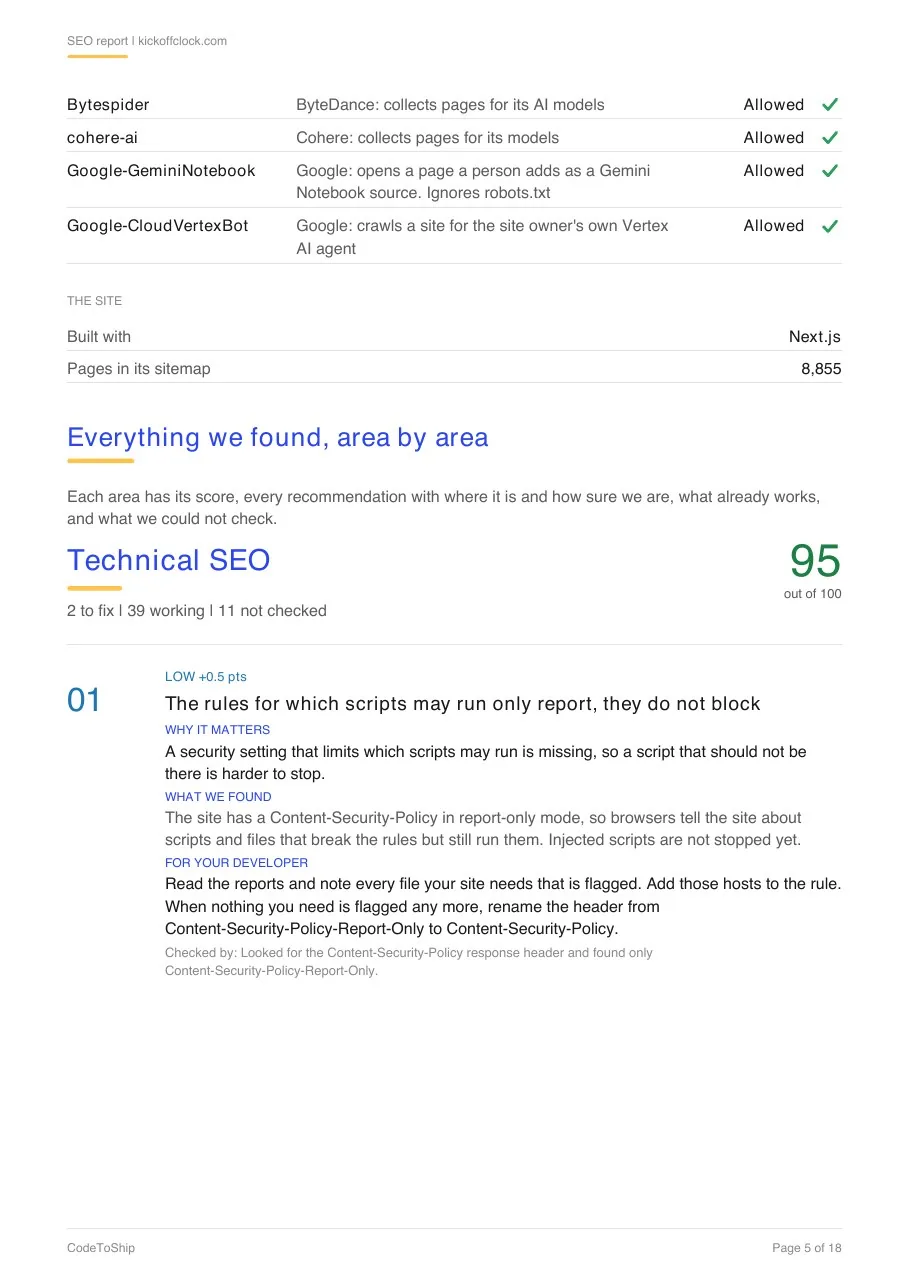
- It lists which scripts and files the page may load, which makes an injected script harder to run. We check that it is set. A report-only policy gets its own note: it reports problems but blocks nothing yet.
- X-Content-Type-Options
- The value nosniff stops the browser guessing what a file is, so a file that was only meant to be shown is not run.
- Referrer-Policy
- It limits how much of a page's address is sent to other sites when a visitor follows a link, because an address can hold private details.
- Permissions-Policy
- It limits which browser features, such as the camera, location and microphone, the page and its embeds may use.
- Framing
- X-Frame-Options, or frame-ancestors in the Content-Security-Policy, stops another site showing your page inside its own and tricking visitors into clicking.
- Server version
- We flag a server that announces which software and version it runs, because that tells an attacker what to look for.
How to fix it
Pick what your site is built on. Have a developer? Send them our message in the guide.
Add these lines to the server block, then reload nginx. Start the Content-Security-Policy in report-only mode (the header name Content-Security-Policy-Report-Only) and tighten it, because a strict one can break a page.
add_header Strict-Transport-Security "max-age=31536000; includeSubDomains" always;
add_header X-Content-Type-Options "nosniff" always;
add_header Referrer-Policy "strict-origin-when-cross-origin" always;
add_header X-Frame-Options "SAMEORIGIN" always;
add_header Permissions-Policy "camera=(), microphone=(), geolocation=()" always;
Check it by hand
You can read a site's response headers yourself with curl, which is on most computers. This prints the security headers that are set; a header that does not appear is not set.
curl -sI https://example.com | grep -iE "strict-transport|content-security|x-frame|x-content-type|referrer-policy|permissions-policy"
Questions
What are security headers?
They are instructions a server sends with each page. They tell the browser which scripts to trust, whether the page may be shown in a frame, and to always use HTTPS, which limits what an attacker can do.
Do security headers help SEO?
Not directly. Google's page experience guidance lists secure pages (HTTPS) as part of a good experience, but says aspects beyond Core Web Vitals do not directly help a site rank higher. The other headers protect visitors and have no stated ranking role.
Where do I add security headers?
In the server or in a service in front of it, such as Cloudflare. The steps for nginx, Apache, Cloudflare, WordPress and hosted builders are in the fix section above.
Why start with Content-Security-Policy-Report-Only?
A strict Content-Security-Policy can break a page by blocking a script it needs. The report-only version shows what would be blocked without blocking it, so you can fix the rule first and switch it on after.
Does a pass mean my site is secure?
No. This tool checks headers and HTTPS only. It does not look for malware or for weak spots in your site.
Send audits under your own brand
Audit a client's site, then send a report and a pitch deck with your logo and colors. It works today.
More free checks
- Favicon checkerSee how your website logo (favicon) shows in Google, browser tabs and phones, and what to fix.
- Sitemap checkerEnter an address to find your sitemap and check that search engines can read it.
- Meta tag checkerEnter a page address to see its title and meta description the way Google may show them, and what to fix.
- Open Graph checkerEnter a page address to run this free Open Graph checker. See the link preview on Facebook, LinkedIn and X, and what to fix.
- The whole page: free SEO audit199 checks in nine areas, with a score and a list of what to fix first.