Security Headers Explained: Which to Set First and What Can Break
 By Prabhav Lamichhane9 min readPublished · Last checked
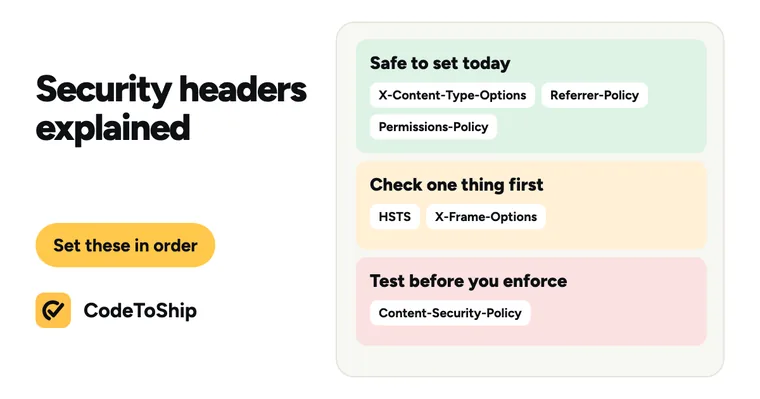
Set them in this order, because a strict one can break the page.
- First the safe ones: no content guessing, a referrer rule and a permissions rule
- Then HSTS and framing, once you have checked one thing each
- Content-Security-Policy last, in report-only mode
To see which of yours are missing, run the free security headers checker. It needs no sign-up.
Which to set first
Six headers, in three groups by how safe each is to set. The values are the ones OWASP and MDN give, and each note says where it comes from.
Safe to set today
Low risk. Set them, then check the site loads.
X-Content-Type-Options
Stops the browser guessing what a file is. OWASP says to set it and to send the right Content-Type everywhere.
X-Content-Type-Options: nosniffReferrer-Policy
Limits how much of a page's address is shared with other sites. OWASP says to set it explicitly, not to rely on the browser's default.
Referrer-Policy: strict-origin-when-cross-originPermissions-Policy
Switches off browser features the site does not use, such as the camera and location.
Permissions-Policy: camera=(), microphone=(), geolocation=()
Check one thing first
Safe once one condition is true.
Strict-Transport-Security (HSTS)
Tells browsers to use only https for your site. With includeSubDomains it covers every subdomain, so each one must open on https. OWASP warns that a long setting with an expired certificate can lock visitors out until it runs out.
Strict-Transport-Security: max-age=31536000; includeSubDomainsFraming: X-Frame-Options
Stops other sites showing your page inside their own. Check that nobody legitimate embeds your pages. OWASP prefers DENY, and the frame-ancestors part of a Content-Security-Policy where you can use it.
X-Frame-Options: SAMEORIGIN
Test before you enforce
This one can break the page. Start in report-only mode.
Content-Security-Policy
Lists which scripts and files the page may load. MDN says CSP can be deployed in report-only mode: the policy is not enforced, and violations are reported.
Content-Security-Policy-Report-Only: default-src 'self'
Leave out or remove
Old advice still floats around. These three should not be on a site today.
X-XSS-Protection
OWASP says not to set it, or to turn it off with a value of 0, because it can create problems on otherwise safe sites. A good Content-Security-Policy does the job.
Public-Key-Pins
OWASP says it was removed from Chromium in 2018 and no modern browser supports it. Remove it if your server still sends it.
Server and X-Powered-By
These tell the world your server software and version. OWASP says to remove them or set non-informative values. It makes fingerprinting a little harder, not impossible.
Two real sites: ours
We ran the free security headers checker on our own site and on Kickoff Clock, a site we built as our own example. These are the results as the tool printed them on November 8, 2026.
Before
Our server sends1 year
Cloudflare, in frontReplaced it with its own 30 days
Browsers remember30 days
After
Our server sends1 year
Cloudflare, in frontSet to 12 months
Browsers remember1 year
Bars are on the same scale: a year is the full width.
- Real site
codetoship.com
Checked November 8, 2026
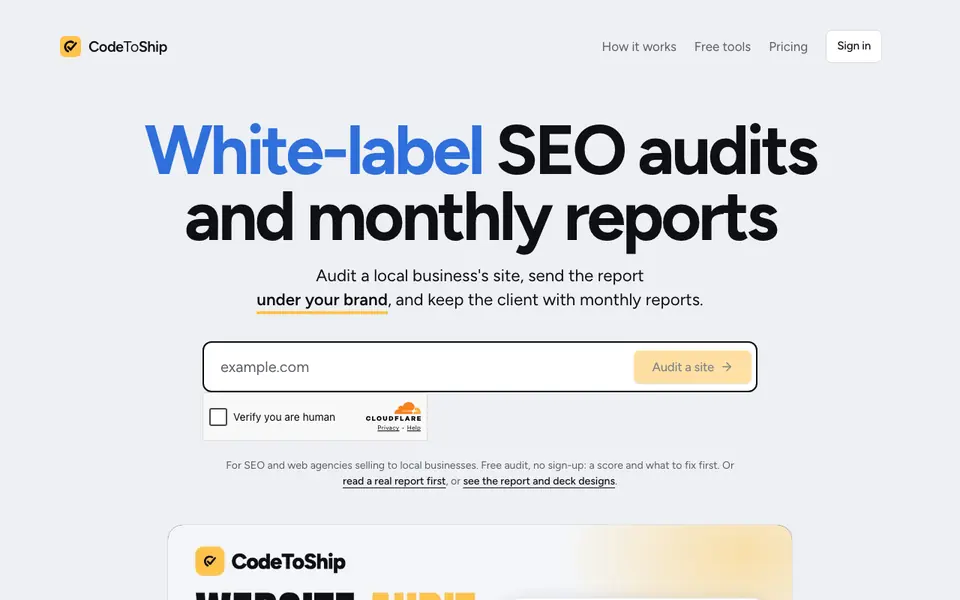
The page we tested, as a first-time visitor saw it. - To fixBefore: HSTS was
max-age=2592000, 30 days, and the checker said the rule was too short. Our server sends a year, but Cloudflare, which sits in front of the site, replaced it with its own setting. - PassedAfter we set 12 months in Cloudflare the header is
max-age=31536000, and all eleven security checks pass: HTTPS, the certificate, the redirect, no mixed content, HSTS, a Content-Security-Policy, nosniff, Referrer-Policy, framing, Permissions-Policy and no version numbers. - NoteWe left includeSubDomains and preload off. Every subdomain would have to open on https, and preload is hard to undo. The checker notes the site is not on the preload list.
11 of 11 checks pass
- HTTPSPassed
- CertificatePassed
- http leads to httpsPassed
- No mixed contentPassed
- HSTS for a yearPassed
- Content-Security-PolicyPassed
- nosniffPassed
- Referrer-PolicyPassed
- FramingPassed
- Permissions-PolicyPassed
- No version numbersPassed
The header your server sends is not always the one visitors get: a service in front of the site can replace it. Check the live response, not only your config.
- To fixBefore: HSTS was
- Real site
kickoffclock.com
Checked November 8, 2026
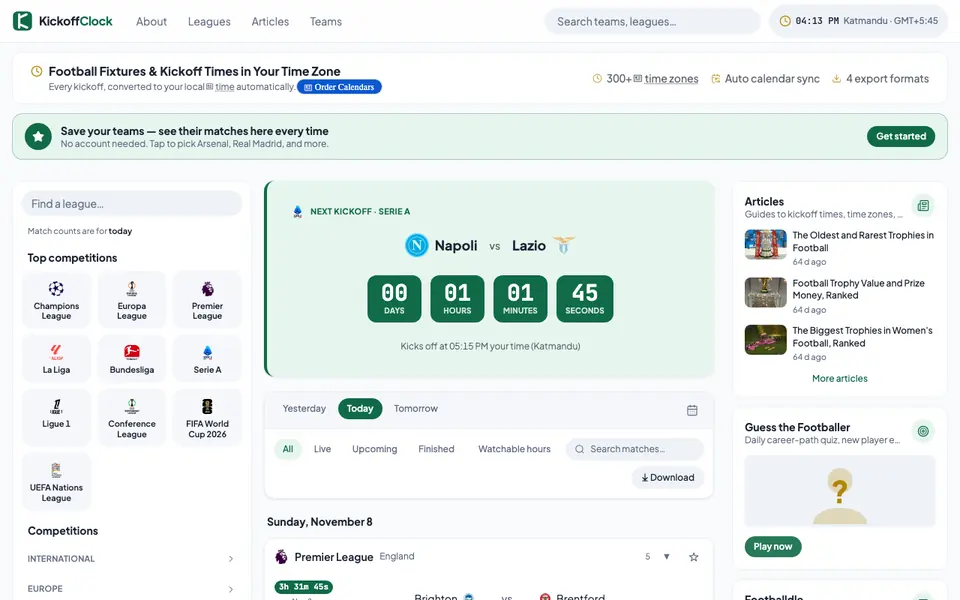
The page we tested, as a first-time visitor saw it. - PassedHTTPS, the certificate, the redirect, no mixed content, HSTS for a year, nosniff, Referrer-Policy, framing and Permissions-Policy are all set, with no version numbers: ten of eleven checks pass.
- To fixThe policy is sent as
Content-Security-Policy-Report-Only. It reports what it would block and blocks nothing.
10 of 11 checks pass
- HTTPSPassed
- CertificatePassed
- http leads to httpsPassed
- No mixed contentPassed
- HSTS for a yearPassed
- Content-Security-PolicyReport only
- nosniffPassed
- Referrer-PolicyPassed
- FramingPassed
- Permissions-PolicyPassed
- No version numbersPassed
This is the third group above in practice: report-only first, enforce when the reports show nothing legitimate would break. Until it is enforced it protects nothing, so the checker lists it as something to fix, at low priority.
A run on a made-up page: six findings, then one, then none
Made up We served the page of a made-up plumber, Calder Plumbing, with different headers and ran our own audit on it each time. The text is what the audit printed for its security checks. It was one page, no speed test, like the free audit.
Run 1
Sent: no security headers
6 header findings
- Browsers are not told to always use HTTPS
- No rules limiting which scripts may run
- Browsers may guess what a file is
- Full page addresses are shared with other sites
- Other sites can put this page in a frame
- No limits on the browser features the page can use
Score 78 out of 100
Run 2
Sent: the five safe headers, and a Content-Security-Policy in report-only mode
1 header finding
- The rules for which scripts may run only report, they do not block
Score 81 out of 100
Run 3
Sent: the same five, and the policy enforced
No header findings
Score 82 out of 100
Each finding is low severity, so the score moved only four points in all. The enforced policy in run 3 was default-src 'self' with style-src 'self' 'unsafe-inline' and img-src 'self'. MDN says developers should avoid 'unsafe-inline' because it defeats much of the purpose of a policy. We used it so the test page still works. A stronger setup moves the styles into files.
What a too-strict policy does to a page
We also served the same page with only default-src 'self', enforced. Its styles are written inside the page, so the browser blocked them. The console said: "Applying inline style violates the following Content Security Policy directive 'default-src 'self''."

This is why you start in report-only mode. MDN says the policy is then not enforced, and violations are sent to a reporting endpoint, so you can fix them before anything breaks for a visitor. It also says a strict policy is difficult when you use scripts you do not control, such as chat or analytics.
What to do first
Does every page and subdomain open on https today?
Fix that first. Do not set HSTS yet: with includeSubDomains, every subdomain has to work on https.
Set HSTS with a max-age of at least a year. MDN's example is 31536000.
Does the site load scripts or styles from other sites (chat, analytics, fonts)?
Run the Content-Security-Policy in report-only mode, then enforce it when nothing you need is reported.
Run it in report-only mode for longer, and read the reports before you enforce it. Our advice, not MDN's.
What to tell the client
Two short messages. Neither says the site is secure, because a header check cannot show that.
When you can set the headers
"We checked your site's security headers. Six were missing. We added five today. The sixth limits which scripts may run, and it can break a page if it is too strict, so we are testing it first in a mode that only reports. This is a check of headers only, not a security scan."
When the builder does not allow it
"Your site builder does not let us set these headers. We can put a service such as Cloudflare in front of the site to add them, or leave things as they are. It is your call, and we will explain what each choice means."
Questions about security headers
Will security headers stop my site being hacked?
No. They tell a browser what it may do with your pages, which limits what an attacker can do after a flaw. MDN says a Content-Security-Policy helps to prevent or minimize the risk of certain threats, mainly cross-site scripting. They are one layer, not a guarantee.
Which header should I set first?
The three low-risk ones: X-Content-Type-Options, Referrer-Policy and Permissions-Policy. Then HSTS, once every page and subdomain opens on https. Leave the Content-Security-Policy for last, in report-only mode.
Can I set them on WordPress, Shopify or Wix?
Headers are set by the server. WordPress itself does not set them, so ask your host, use the server settings, or use a plugin. Hosted builders usually do not let you set them: ask support, or put a service such as Cloudflare in front of the site. The free checker page has copy-ready lines for nginx, Apache and Cloudflare.
Does the checker prove my site is secure?
No. It checks that the headers are set. It does not check how strict your Content-Security-Policy is, and it is not a security scan. A site with every header can still have flaws.
How this check works, and what it cannot see
- The audit reads one page's response headers and, for https, its certificate. The free checker reads the same things and shows only the security part.
- It checks that a Content-Security-Policy is set. It does not check how strict the policy is.
- It is not a security scan. It does not look for malware or flaws in your site.
- The plumber's page is made up, and the runs were on our own computer. Your site will have different findings.
- The audit also checks the redirect from http to https and the certificate. Those need a real site, so they were not part of these runs.
Check your headers in a minute
Paste your address into the checker. It lists what is set and what is missing, with copy-ready lines for nginx, Apache and Cloudflare. For the wider set of checks, see the technical SEO audit checklist.
Sources and when they were read
- OWASP Cheat Sheet Series, HTTP Headers (read November 5, 2026): the recommended values, and the advice on X-XSS-Protection, Public-Key-Pins and the server headers.
- MDN, Strict-Transport-Security header (read November 5, 2026): what HSTS does and the includeSubDomains and preload directives.
- MDN, Content Security Policy (CSP) (read November 5, 2026): the purpose, report-only mode and the warning about 'unsafe-inline'.
- The two real sites are our own checker on codetoship.com and kickoffclock.com, run on November 8, 2026, and the header values were read from each live response. The three audit runs and the screenshots are our own audit engine and browser on a page we built, run on November 5, 2026. The findings and scores are the audit's output. The plumber is made up.