We Audited 80 Agency Websites. Fix These 5 Issues First.
 By Prabhav Lamichhane11 min readPublished · Last updated
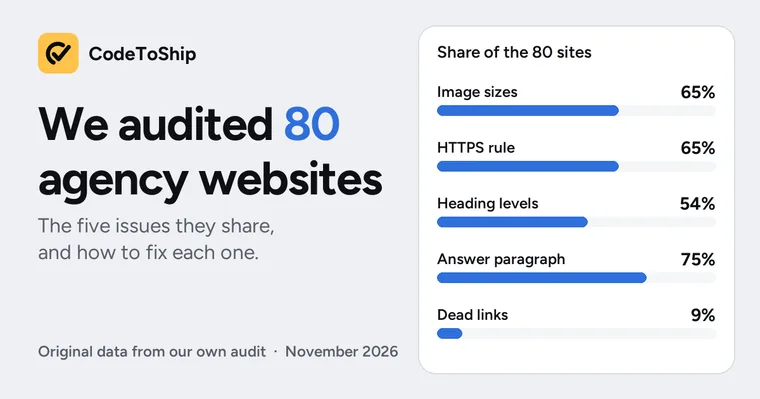
We ran the audit we sell on the home pages of 80 agency and freelancer websites.
- 65% have images with no set size
- 65% send no always-use-HTTPS rule
- About 1 in 10 has a link that no longer works
These are the five issues most of them share, with the fix for each.
- 100sites picked at random from 119 found; 80 audited (56 agencies, 24 freelancers)
- 83.6average score out of 100 (median 84, from 60 to 95)
- 19findings on a typical home page, of every severity
- 20more we picked but could not audit, and why below
Why we ran it
Days ago we audited our own two sites and published every finding. Read it in our case study. Two sites is a small sample. So we ran the same audit on 100 agency and freelancer sites.
How we picked them. We searched Google like a client would: "web design agency" or "freelance SEO consultant" plus a city. 15 cities, five countries. We found 119, dropped directories, and drew 100 at random.
What we ran. Our audit, on the home page only, without the speed test. For speed, see our Lighthouse score guide.
The catch. These sites show on Google, so they are better than most. The average score is 83.6 out of 100. The issues below are common even here.
A typical home page
- A typical home page had 19 findings, from 6 to 29. Most were low severity.
- 76 of 80 sites had at least one medium or high finding. 33 had a high one.
- The ten best sites averaged 92.2 with 10.1 findings. The ten worst averaged 73.8 with 23.5.
- Agencies and freelancers scored alike: 83.8 against 83.0.
- Strong: 10 sites (13%)
- Good: 67 sites (84%)
- Needs work: 3 sites (4%)
The five issues at a glance
- 1. Images with no width and height65% (52 of 80)
- 2. No always-use-HTTPS rule (HSTS)65% (52 of 80)
- 3. Heading levels skipped54% (43 of 80)
- 4. No clear answer paragraph under a heading75% (60 of 80)
- 5. A link on the home page that no longer works9% (7 of 80)
Only 1 of 80 sites passed the first four checks. 13 failed all four.
Issue 1 of 552 of 80 sites (65%)
Images with no width and height
The page jumps while it loads, because the browser does not know how big each picture is.
On the sites that had it, the median was 12 unsized images. One page had 204. But 10 sites had only one to three. Start with those: a few minutes each. In a hand check of 12 sites, 9 matched the audit.
Without width and height
While it loads
No room kept for the image
The image has arrived
The button jumped down
With width and height
While it loads
Room kept for the image
The image has arrived
Nothing moved
A reader can lose their place, or tap the wrong thing, when a page moves under them. Google measures this as Cumulative Layout Shift, and says 0.1 or less is good (web.dev).
How to fix it
- Open each image and note its real size in pixels.
- Add it to the tag:
<img src="team.webp" alt="The team" width="1200" height="800"> - Keep
max-width: 100%in your CSS so it still fits a phone. - WordPress adds sizes for library images. Next.js needs them as props on
next/image. - Run the free audit again to see it clear.
Issue 2 of 552 of 80 sites (65%)
No always-use-HTTPS rule
Browsers are not told to use the secure version of your site every time.
The header is called HSTS. It is one line at your host or CDN. In a hand check of 11 sites, 9 matched the audit.
Our own trap: our server sent a year. Visitors got 30 days, because Cloudflare had replaced it. Only the live response showed it. It is in the case study, and every header is in our security headers guide.
Without the rule
You type the address
The browser asks for the plain http version firstAnyone on the network can see this step
The site answers: use https instead
The secure page loads
Every visit starts unprotected for a moment
With the rule
You type the address
The browser remembers: this site is always https
The secure page loads
The unprotected step is gone on later visits
This protects visitors. We have no evidence it moves a page up in search, so treat it as a safety fix, not an SEO one.
How to fix it
- Check what your site really sends with the free security headers checker.
- Make sure the whole site loads over HTTPS.
- Add
Strict-Transport-Security: max-age=300at your host, server or CDN. Check every page. - Raise it step by step to
max-age=31536000(a year). LeaveincludeSubDomainsand preload off for now.
Issue 3 of 543 of 80 sites (54%)
Heading levels skipped
An H2 is followed by an H4, with no H3 between.
This breaks the outline of the page for screen readers and search engines. It is low severity and easy. In a hand check of 13 sites, all 13 matched the audit. Our technical SEO audit checklist has more.
Levels in order
- H1Web design for dentists
- H2What we do
- H3Websites
- H2Prices
- The outline has no gap
A level skipped
- H1Web design for dentists
- H2What we do
- H4WebsitesNo H3 before this
- H2Prices
- The outline skips a level
Screen readers let people jump from heading to heading, and search engines read headings as the outline of a page. A gap makes the reader wonder what is missing.
How to fix it
- Find the heading that jumps two levels.
- Change it to the next level down: an H3 after an H2.
- Pick levels for order, not size. Use CSS to change the look.
Issue 4 of 560 of 80 sites (75%)
No clear answer paragraph under a heading
No paragraph of 100 to 170 words that answers the heading's question on its own.
This is our own rule, not a Google rule or an industry standard. Google says no special format is needed for AI answers. We check it because a short, full answer is easy to quote. Treat it as an experiment.
It is the most common of the five. Our guess: home pages are built to be skimmed, so few hold a full answer. That is a design choice as much as a mistake.
No answer paragraph
How much does a website cost?
A reader has to ask us
A full answer, 100 to 170 words
How much does a website cost?
The answer, with its reasons, in one block
Easy to quote
This is our own rule, not a Google rule, so treat it as an experiment. The block above is drawn, not a real page.
How to try it
- Pick three headings clients ask about: what you do, what it costs, how it works.
- Under each, write 100 to 170 words that answer it fully.
- Lead with the answer, then the detail.
Issue 5 of 57 of 80 sites (9%)
A link that no longer works
A link on the home page leads to a page that is gone.
The audit flagged 12 sites. We opened them and confirmed a dead link on 7, and we count those 7, about 1 in 10. The audit tests ten links per page, so the real number may be higher.
On the home page
See our pricing
After the click
404: page not found
The visitor leaves, or goes back and tries something else
The cost is a lost visitor, and a prospect who sees a site that is not looked after. The page is drawn, not a real site.
How to fix it
- Open each flagged address in your browser.
- If the page moved, update the link.
- If it is gone, remove the link or point it to a similar page.
- Check again in a month. Other sites break links without warning.
What we got wrong along the way
Three places this study went wrong. We show them so you can trust the rest.
Our checker was wrong
20 to 12
sites flagged for a broken link, before and after our fix
Cloudflare rewrites an email link to an address that answers 404 when asked for directly but works in a browser, and our audit called it broken. The fix cleared 8 sites.
Two numbers we dropped
6 in 10
heavy-image findings matched by hand
Too weak to publish. We also left out structured data, which we never checked, and the platform, which the audit could not detect.
Sites that asked us to leave
8
of the 100 sites block auditing tools in robots.txt
We respect that and did not audit them. It costs the study eight sites.
If this were your site, what to fix first
Our judgment, not a measured ranking. Visitor-facing and quick fixes first.
- The dead link. A visitor can hit it today. One minute.
- Image sizes. Home page and main service page first.
- The HTTPS rule. One setting. Test in small steps.
- Heading levels. Easy. Do it when you are in the page.
- An answer paragraph. Takes the most thought. Our rule, so an experiment.
Also common, but not in the five
Low severity, or not checked by hand. Share of the 80 sites.
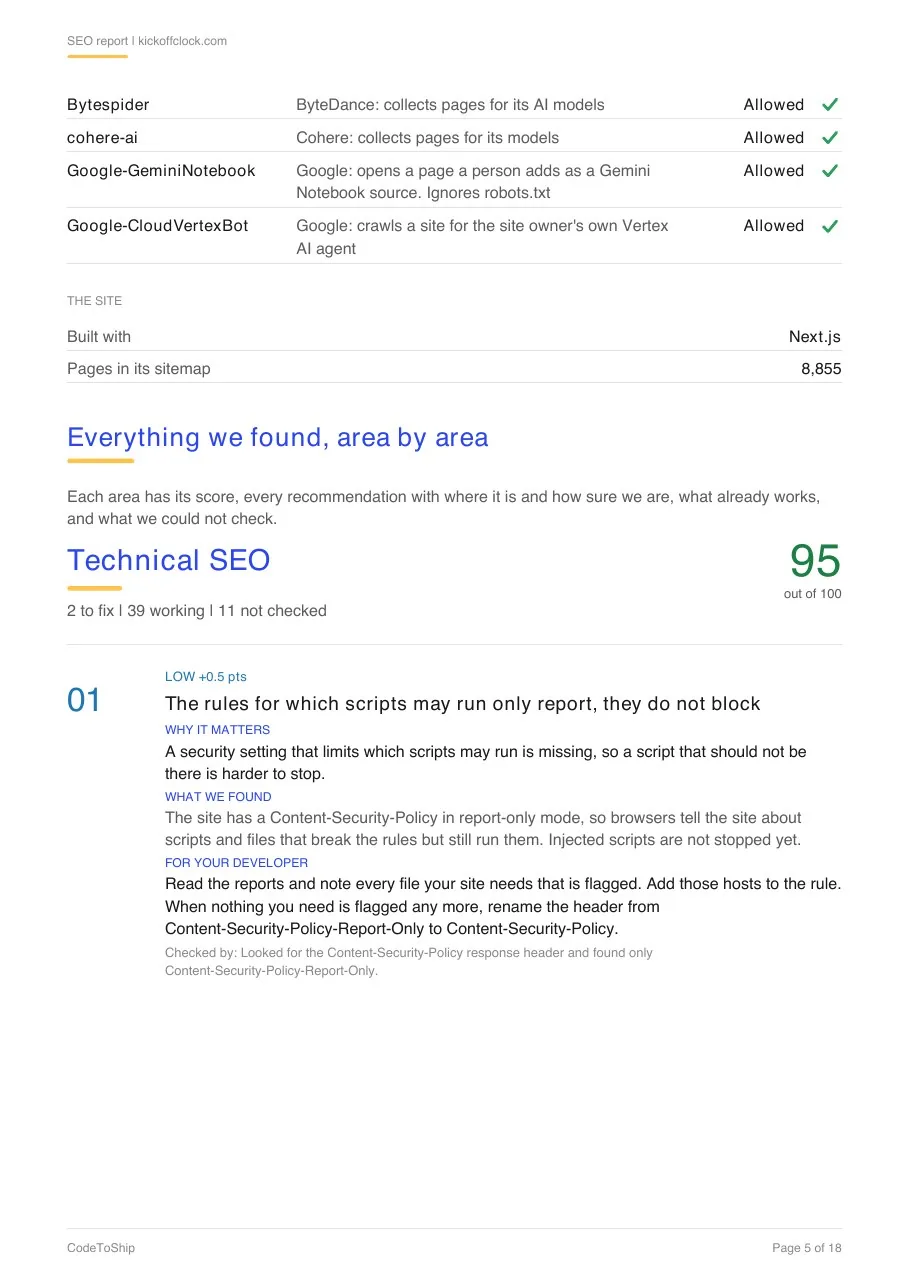
- No rules limiting which scripts may run (a Content-Security-Policy): 81% (65)
- No limits on the browser features the page can use: 83% (66)
- Full page addresses shared with other sites (referrer policy): 75% (60)
- Other sites can put the page in a frame: 71% (57)
- The writing is hard to read: 60% (48)
- Images with poor alt text: 56% (45)
- No link to a privacy page: 29% (23)
The first four are security headers. Our security headers guide sorts which are safe to set today.
One more: 3 of the 80 sites have a firewall that turns away AI search crawlers such as OAI-SearchBot and PerplexityBot. That may be on purpose. If you want AI search to read your site, check it.
What we could not audit
20 of the 100 sites could not be audited. 8 block auditing tools in robots.txt. 7 did not load. 4 turned our checker away. 1 was not found. They are not in the numbers above.
Method, and what this cannot show
- Home page only, November 13, 2026, the same audit we sell, no speed test. The 20 sites flagged for a broken link were audited twice, after the fix above. One then turned our checker away, so the study counts 80, not 81.
- Sites on Google's first page already do SEO. This probably understates the problems on a typical agency site.
- Five English-speaking countries, 15 cities. Not every agency.
- Hand checks: image sizes 9 of 12 matched, the HTTPS rule 9 of 11, heading levels 13 of 13. We confirmed 7 dead links.
- We never name a site. Counts and shares only.
- It does not say these issues cost anyone rankings or visitors.
Questions about this study
Which sites did you audit?
Public agency and freelancer sites that rank on Google's first page for a city search. We never name a site.
Are agency sites worse than other sites?
We can't say. We audited only agency and freelancer sites, so there is nothing to compare with.
Does an issue here make a site rank worse?
Not necessarily, and we do not claim it. Fixing them makes a page faster, safer or easier to read.
Why 80 and not 100?
We picked 100. 20 could not be audited, mostly because their robots.txt asks tools to stay out. We respect that.
Can I use these numbers?
Yes. Link here and say what the sample is: 80 agency and freelancer home pages, November 13, 2026, no speed test.
Can I check my own site?
Yes. The free audit runs the same checks on one page.
Run the same audit on your own site
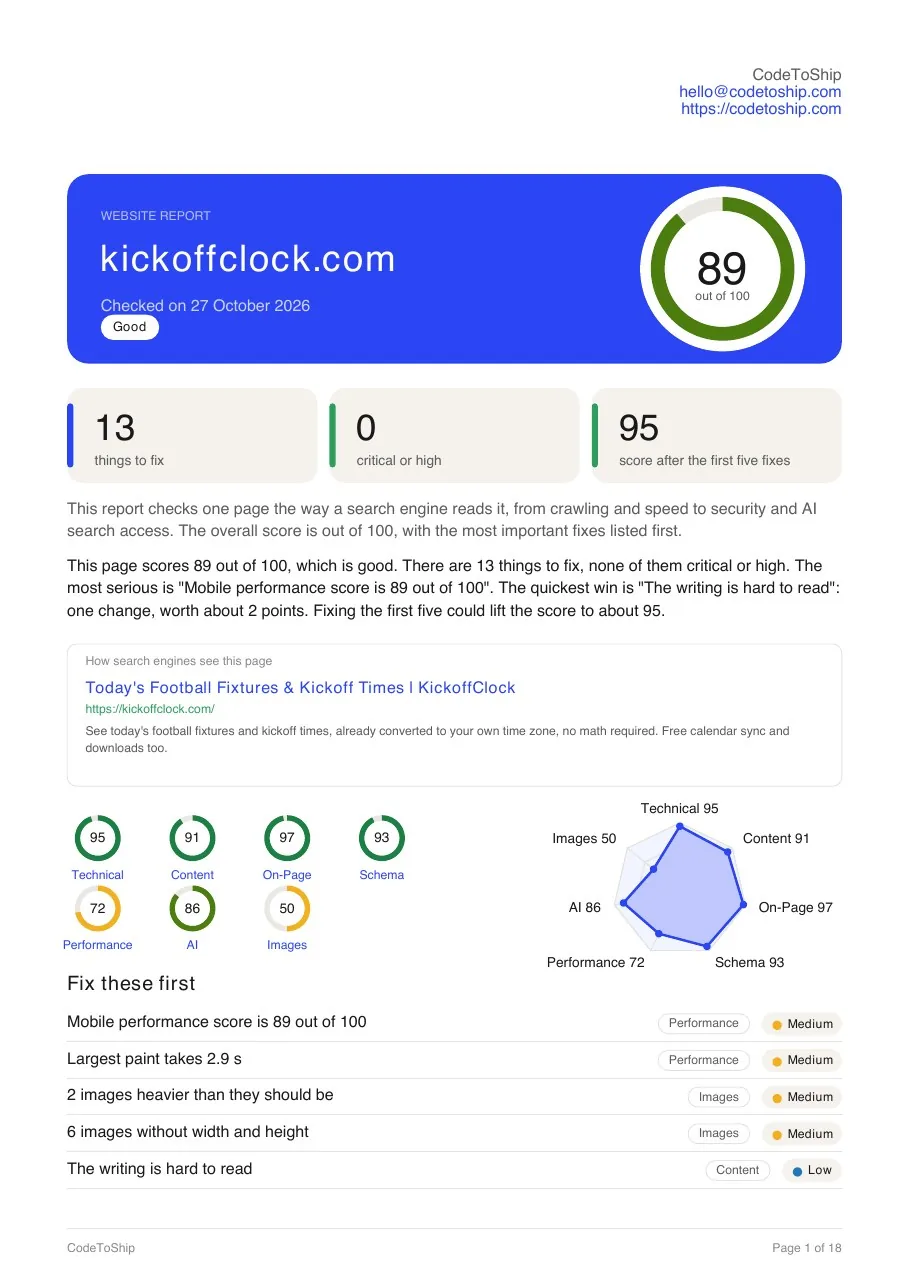
The free audit reads one page the same way and puts the first fixes at the top. If you are an agency, the same report can go to a client under your own brand: see how in our white-label SEO report guide, or look at the report and deck designs.
Keep going
- Website audit checklist
Everything a thorough audit covers, in the order to check it.
- Technical SEO audit checklist
The technical checks behind headings, links and security headers.
- What is a website audit?
The plain explanation, for you or for a client.
- SEO audit example: we audited our own sites
The case study that came before this one, with the bug we found in our own tool.
- White-label SEO report
How an agency sends an audit like this to a client under its own brand.
- How to get SEO clients
Using a free audit as the first thing a prospect sees.
Send audits under your own brand
Audit a client's site, then send a report and a pitch deck with your logo and colors. It works today.
Sources and when they were read
- Every number is the output of our own audit on November 13, 2026, on the sites described above.
- The sites were found with Google searches in a real browser on the same day. The list is internal and is not published.
- The hand checks compared the audit's findings with each site's live page, headers and links, on the same day.
- Google's statement that no special format is needed for its AI answers is from its page "AI features and your website" on Google Search Central.